

There are a number of reasons one might choose to hide certain pages from the main navigation of a website or search engines . Pages such as Terms of use, Privacy policy, submission confirmation, etc. should probably not be visible on the main navigation or to search engines.
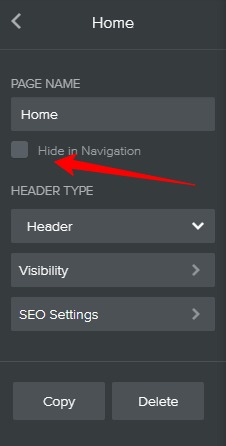
To hide a weebly page from main navigation:
- Step 1: On your weebly editor, click PAGES. You should see a list of all your pages.
- Step 2: Click the page you wish to hide.
- Step 3: Check the box that says Hide in Navigation.
To hide a weebly page from search engines:
[!] Warning:
You should only hide a page from search engines if you do not want your website to be found by Google, Bing, and other search engines.
If you have a good reason to hide your website from search engines, follow below instructions:
- Repeat step 1 and 2 above.
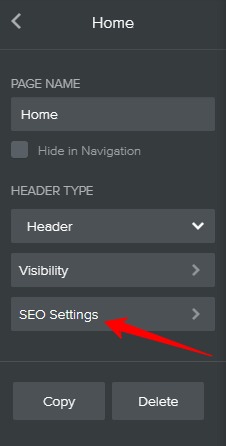
- Step 4: Click SEO Settings.
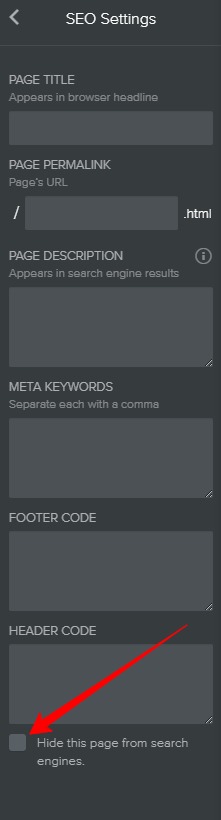
- Step 5: At the bottom, click hide this page from search engines.
That’s it.